Free demo post · No pitch, no card

See your business’s post, made free.

Text START, then send a photo or your Instagram or Facebook handle. We’ll make a real post for your business, just for you to see.

Opens your texts with “START” ready to send to (928) 250-0668. One free demo post per phone number. Your demo won’t be posted anywhere.

QR code that opens a text to (928) 250-0668 with START
On a computer?Scan with your phone camera to text START.
Captions researchedfor search and hashtags
Free demo postjust for you, never posted
Tower SocialYour assistant
START
Hi! 👋 We’d love to make you a free demo post! Send your business name and 1 to 3 photos, or your Instagram/Facebook handle.
▶ Reel

Caption, hashtags and on-screen text included.

Here’s your free demo post! 🎉 This one’s just for you, it won’t be posted anywhere.
Wow, I love it 😍
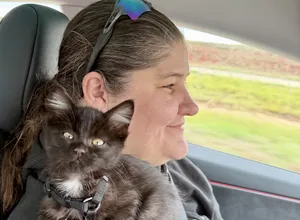
Illustration. Example conversation, shown with real Hi-Jinx Adventures photos and the Reel we made from them.
Real work, real client

From quick phone clips to finished Reels.

The best-performing posts we’ve made for our client Hi-Jinx Adventures, shared with their permission. Drag the slider to compare the raw video they texted us with the Reel that went live.

Reel · Hi-Jinx Adventures

Kittens on Route 66. Their most-watched Reel yet.

Hi-Jinx Adventures texted us a phone photo and a few quick clips of their two kittens on the road. Their assistant turned them into a Reel with movement, music and on-screen text, plus a researched caption. They approved it by text, and it went live on Facebook, Instagram, TikTok and YouTube.

“This is great news!”Danette, Hi-Jinx Adventures, when we told her how Kittens on Route 66 was doing
Watch it on Instagram
Original phone video of the Welcome to St. Robert Neon Park sign at dusk Finished Reel: Old Route 66 signs glowing again, Neon Park, St. Robert BeforeAfter
Route 66 Neon Park ReelSee it live
Original phone video of a sloth hanging from a branch Finished Reel: Sloth encounter at Big Red’s Barn BeforeAfter
Sloth encounter ReelSee it live
Original phone video of paddlefish through aquarium glass Finished Reel: Paddlefish! BeforeAfter
Paddlefish ReelSee it live

Your turn. See your business’s post, made free.

No pitch, no card. One free demo post per phone number.

Get a free demo post
How the free demo works

Three texts. One post. Free.

Text START or scan

Tap the button or scan the code to text (928) 250-0668.

Send a photo or your handle

1 to 3 photos or a short clip, or your Instagram or Facebook handle and we’ll use what’s on your page.

Get your post

A finished post made for your business, texted to you. It’s yours to see, not posted anywhere.

What your assistant can do

A whole social media team, packed into one text thread.

Every client gets their own AI assistant that knows your business and gets more personalized the more you work together.

Text it a photo. Get a finished Reel or post.

Turn your own photos and clips into scroll-stopping Reels, photo posts and carousels, with a strong hook in the first second, smooth edits and music.

ReelsPhoto postsCarouselsStories

You approve every post.

Every draft comes to you first. Change the wording, the font, the music vibe, the mood, anything you can think of.

Do you love it? Reply YES to post it. Want something different? Just ask. You get 2 edits for this post.YES

Captions researched for search

Before any caption goes out, we check what people actually search for, then lead with the right keywords and a focused set of hashtags.

Weekly and monthly reports

Reach, engagement, follower change and your top post, with specific ideas to try next. Real numbers only.

Graphics and animations

Quick maps, number cards and callouts, plus motion that brings still photos to life.

Narration in your own voice

Want voiceovers that sound like you? With your permission and a short voice memo, we can narrate posts in your voice. You hear a sample first.

Safe, simple setup

Setup takes about 30 minutes, all by text. You give us partner access to your Page, so you never share a password. Pause or cancel anytime by text. It takes effect at the end of your billing period.

Start with a free demo

Love your demo? Pick how you want to try it.

Your first demo post is free. After that, choose how your 2-week free trial works. You can link your accounts anytime.

Recommended

Link your socials

The full Tower Social experience.

  • We make your posts and Reels
  • We post them for you, after you approve
  • We track your analytics, one of our best features
  • Content suggestions based on what’s working
  • Weekly reports
Get a free demo post

Don’t link (yet)

We make it, you post it yourself.

  • We make your posts and Reels
  • You post them yourself
  • No analytics tracking
  • No content suggestions
  • No weekly reports

Change your mind? Link your accounts anytime.

Plans

Two simple plans.

Both include your own assistant, approval on every post, and reports. Text us and we’ll walk you through which fits.

Base

Everything a small business needs to show up consistently.

3posts a week
  • Facebook + Instagram
  • Posts and Reels made from your own photos and clips
  • Stories, including Story shares of your Reels
  • Researched captions and hashtags
  • You approve every post, with 2 edits per post
  • Weekly + monthly reports
  • Voiceovers in your own voice (with your consent)
Text us to get started
More posts

Growth

Everything in Base, with more posts and a teammate.

5posts a week
  • Everything in Base
  • 5 posts a week instead of 3
  • 1 team member included, so another person can text in posts too
Text us to get started
Add-ons available:TikTok + YouTube (Beta)Extra postsAdd a team memberLogo designProfile makeover

Pause or cancel anytime. Changes take effect at the end of your current billing period, and your service keeps running until then.

Free tips

How to film for great posts.

The same standards we use for every client. Free for any business, whether you work with us or not.

TIP 01

Tell the story in one selfie video

Front camera, face the light, and talk like you’re video-texting a friend: what it is, why it’s great, what people should know. 20 to 60 seconds is fine. It doesn’t need to be perfect.

TIP 02

Then film slow, steady pans

For each thing you mentioned, film a slow pan (about 3 to 5 seconds) or a slow walk toward it. No quick swipes, no zooming. Slow motion can be cut anywhere and looks professional.

TIP 03

Start right on the subject

Open on the face, the dish, the room or the product, filling the frame. The first second is what stops the scroll.

TIP 04

Light sells

Face a window or shoot outside in shade. Avoid strong light behind your subject, and turn the lights on indoors. Bright, even light makes things look like themselves.

TIP 05

Shoot vertical, steady and twice

Hold the phone upright with two hands, elbows in. Keep clips 10 to 20 seconds and shoot each shot 2 or 3 times. More options make a better edit.

TIP 06

Keep the real sound

Leave the original sound on. The sizzle, the laughter, the owner’s voice: natural sound makes posts feel human.

TIP 07

Hook in 8 words or less

Make the first line name what’s on screen in 8 words or less, keep on-screen text to about 5 words, and pay it off within about 5 seconds.

TIP 08

One clear call to action

Ask for one thing: a comment, a save or a share, not all three. Put your best search keywords in the first line, and use a focused set of 5 to 8 relevant hashtags, including local ones.

TIP 09

Mind privacy and clutter

Get an OK from anyone recognizable. Avoid house numbers, license plates and screens with personal info. Wipe the lens and clear trash and cords from the frame.

Shot list: restaurant, cafe or food truck
  • Selfie: what’s special today, or the story behind the dish
  • The dish being made: hands, sizzle, pour, plating (close, steady, sound on)
  • Finished plate: slow push-in near a window, plus one top-down shot
  • First bite or customer reaction (with permission)
  • The room and vibe when it’s lively, plus your sign or storefront
Shot list: salon, barber or beauty
  • Selfie: what you did and why it works for this client (with their OK)
  • Before: front, side and back, same spot and same light
  • Process: cutting, color, styling (hands and tools, close)
  • After: a slow turn of the client, or a slow pan front to side to back
  • The client’s reaction (with permission)
Shot list: retail, boutique or shop
  • Selfie: what’s new, or why you love this product
  • Product hero: a slow turn in hand near a window, plus close-up details
  • Styled or in use: someone wearing or using it
  • A slow walk from the door through your best displays
  • New arrivals and the packaging or checkout moment
Shot list: contractor or home services
  • Selfie on site: the problem, what you did, and the result
  • Before: a wide shot plus close-ups of the problem
  • Work in progress: tools, crew, one satisfying step (with the crew’s OK)
  • After: the same angles as the before, a slow walk-through, and a final wide
  • No house numbers or license plates in frame
Newsletter

Get more tips like these.

Practical ideas for better posts from the Tower Social team. Email us and we’ll add you to the list.

Opens your email app with a message to team@towersocialhq.com. Prefer to write it yourself? Email us directly.

FAQ

Good questions.

How does the free demo post work?
Text START to (928) 250-0668, or tap “Get a free demo post”. Then send your business name and 1 to 3 photos, or your Instagram or Facebook handle. We’ll make a post for your business and text it to you. It won’t be posted anywhere. There’s one free demo post per phone number, and no card needed.
Do I need to download an app?
No. Everything happens by text. You send photos, clips and ideas, and you approve posts with a quick reply.
Will anything post without my approval?
Never. Every post comes to you as a draft first. Reply YES to post it, or ask for changes. You get 2 edits on every post.
Which platforms do you post to?
Facebook and Instagram, including Reels and Stories. TikTok and YouTube are available as an add-on (in beta).
Do I have to share my passwords?
No. You give Tower Social partner access to your Facebook Page and Instagram, and we walk you through it step by step. You never share a password.
What if I don’t have great photos?
Send what you have. We’ll make the best post we can, and your assistant can share simple filming tips for your type of business. Check out the free tips above.
How long does setup take?
About 30 minutes, all by text, so start whenever you have a little time.
Where are you located?
Tower Social LLC is based in Arizona, and because everything happens by text, we work with small businesses anywhere.
Can I pause or cancel?
Yes. Pause or cancel anytime. Changes take effect at the end of your current billing period, and your service keeps running until then. Just text your assistant, or use Manage billing to cancel. See our Terms for details.
How do I update my card, see invoices or cancel?

Manage billing: update your card, see invoices, or cancel. Secure sign-in by Stripe.

Cancelling takes effect at the end of your current billing period, and your service keeps running until then.

Enter the email you paid with and you’ll get a one-time sign-in link. You can also just text your assistant.

See your business’s post, made free.

No pitch, no card. Text START and send a photo or your handle.

QR code that opens a text to (928) 250-0668 with START
Or scan to text START(928) 250-0668 · One free demo post per phone number.
Get a free demo post